

项目介绍
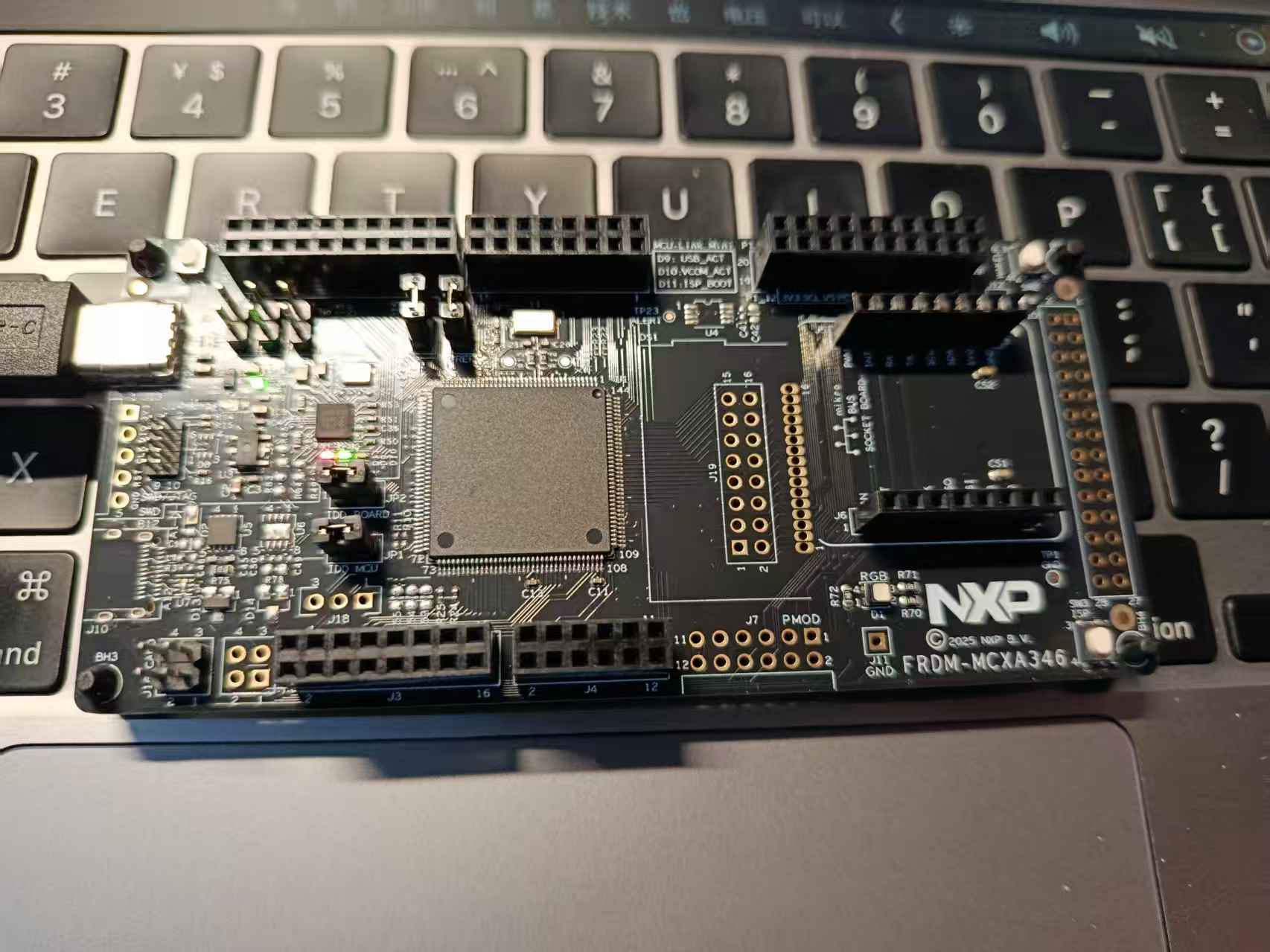
项目是采用的FRDM-MCXA346开发板,使用的是MCUXPressoIDE的IDE,完成的串口通信功能,其中主要功能涵盖
一)基础串口通信 : 打印 “Hello, DigiKey Funpack 5-1”
二)通过AI的辅助实现一个交互式的Shell可以完成对基本命令的解析
硬件介绍
FRDM-MCXA346 是一款基于 Arm Cortex-M33 内核、主频达 180MHz 的紧凑型可扩展开发板,配备 1MB 闪存和 256KB RAM,并集成了 MCU-Link 调试器,通过 Arduino、Pmod、mikroBUS 等多种标准接口提供灵活的连接与扩展能力,支持包括 CAN-FD、USB、Wi-Fi、摄像头在内的丰富外设,可快速实现物联网、工业控制等领域的原型开发。
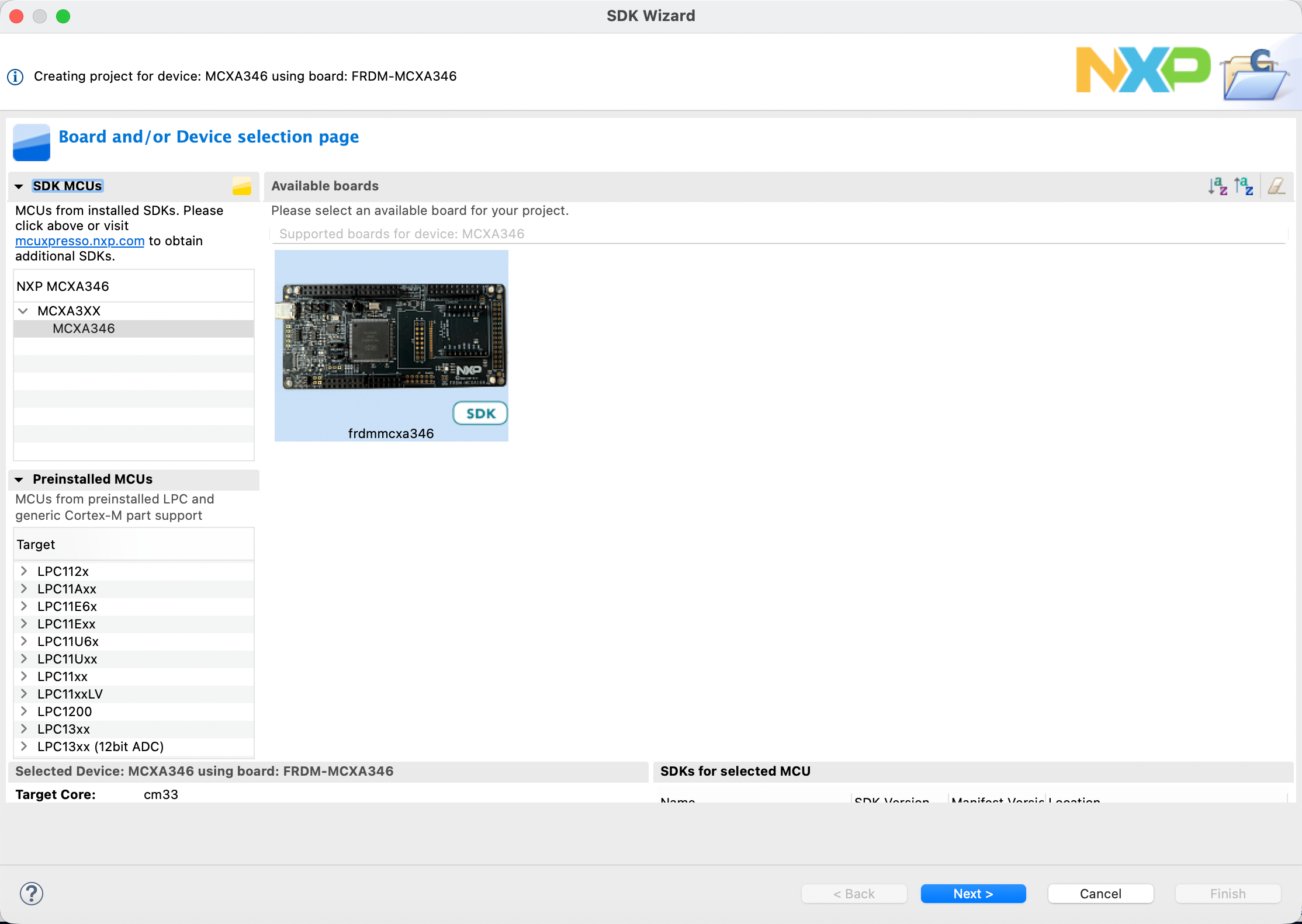
IDE采用的是MCUXPressoIDE、在选择其他方式的时候安装的方式(在线)由于互联网的限制可能会导致下载失败。因此并不是很建议采用在线安装或者VSCODE插件的方式来安装IDE,建议直接下载完整的安装包然后再更新对应的开发板支持即可。(下载MCUXPressoIDE后,需要搜索并且增加对FRDM-MCXA346 的支持)如下所示。
方案框图和项目设计思路介绍
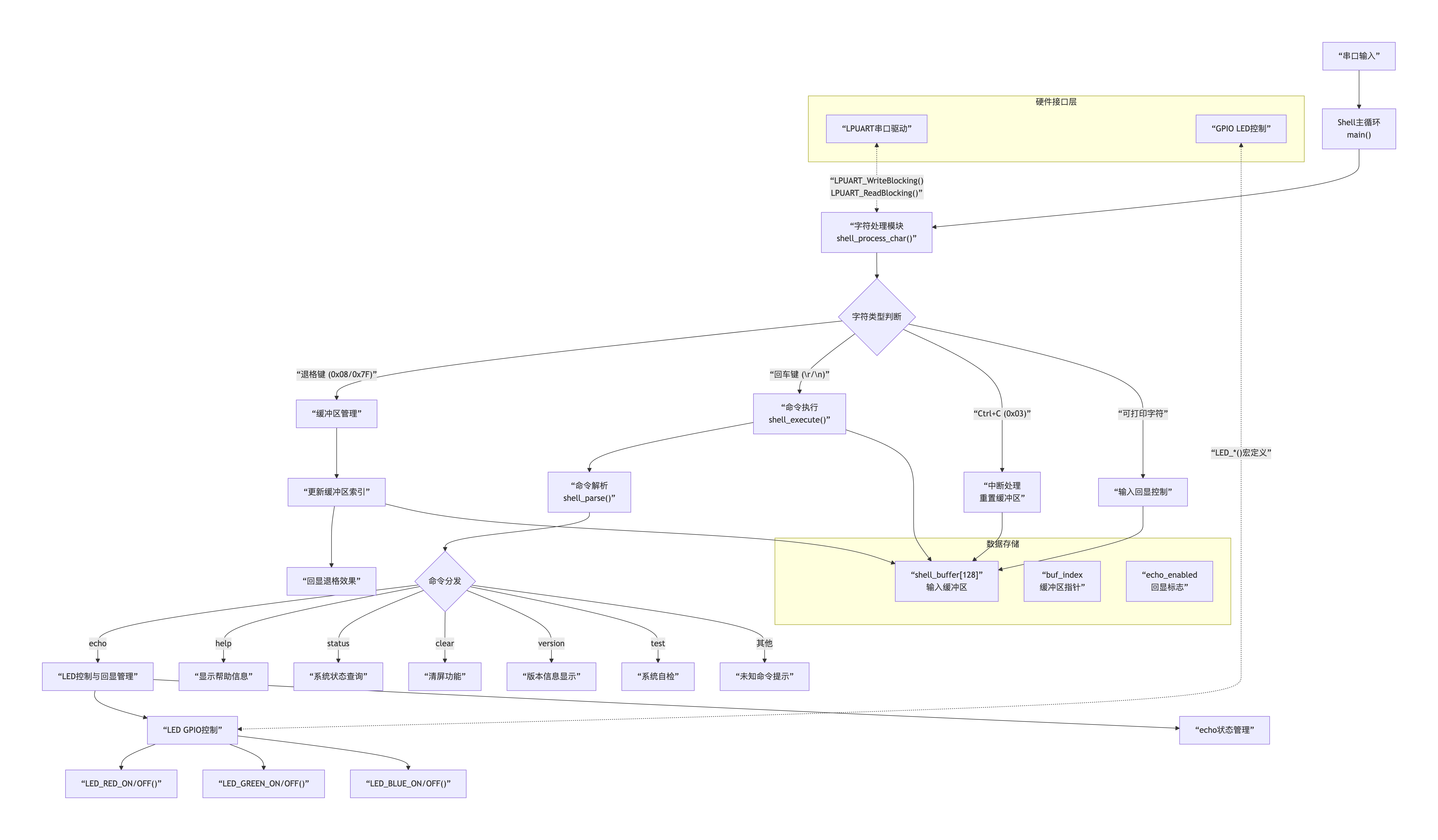
程序运行始于硬件与串口初始化,随后进入主循环持续轮询串口输入。当用户键入字符,系统将其存入128字节的循环缓冲区并实时处理退格与回车操作:回车键触发命令解析,通过strtok函数将输入按空格分割为命令与参数数组。解析后的指令由if-else逻辑分支匹配执行——若识别为echo red on等LED控制命令,则调用对应的LED_*_ON/OFF()宏直接操作GPIO寄存器以改变硬件状态。执行前后,程序依据echo_enabled标志决定是否向串口反馈操作结果,最终重置缓冲区并重新输出提示符,等待下一条指令输入。
软件流程图及关键代码介绍
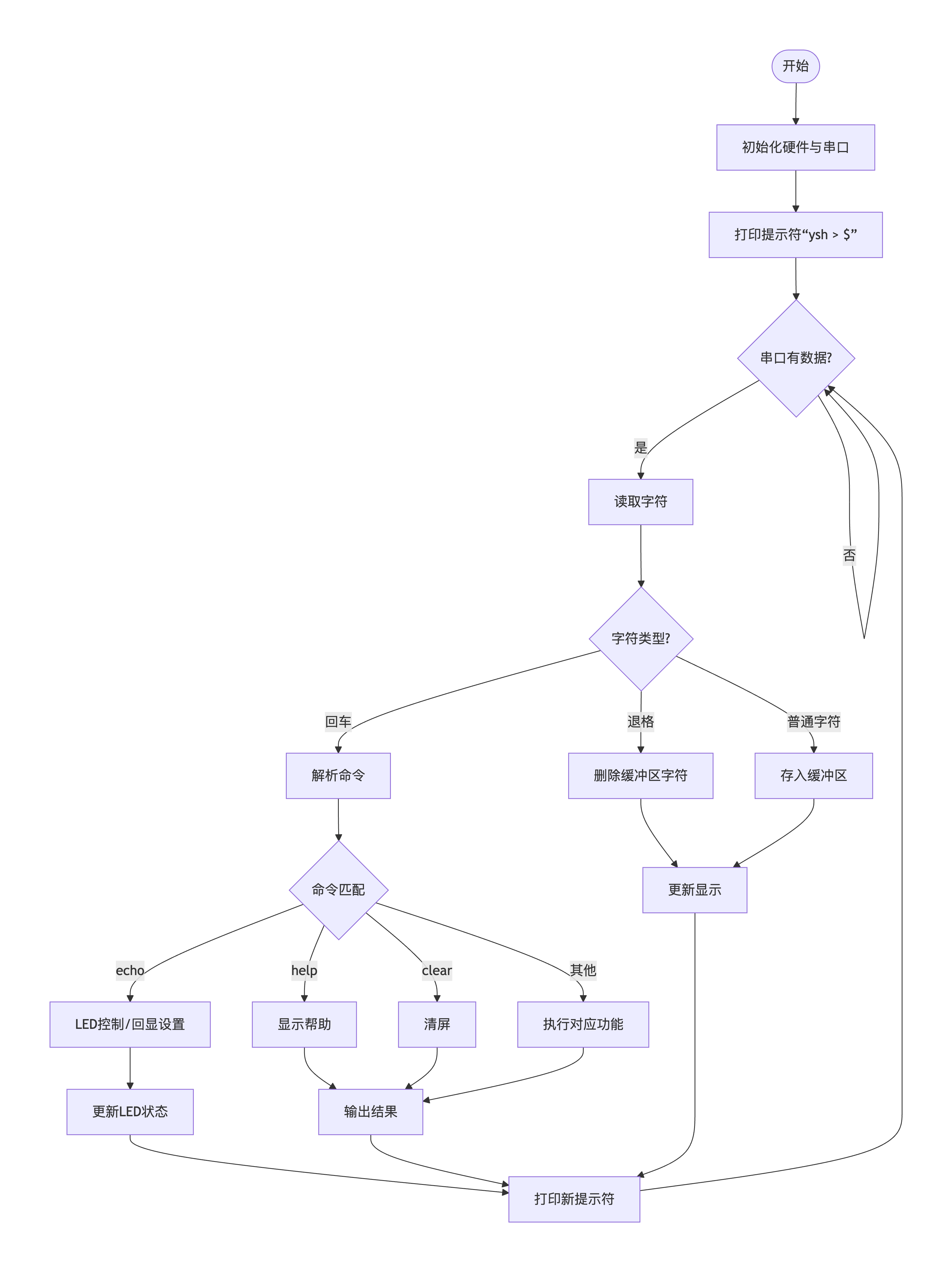
核心流程:
- 初始化:启动硬件,准备好串口通信
- 等待输入:循环检查是否有键盘输入
- 处理字符:分三类处理(回车执行、退格删除、字符存储)
- 执行命令:解析输入,匹配并执行对应功能
- 反馈结果:输出执行结果,重新显示提示符,继续等待
核心代码
/*!

 * @brief 执行命令(增强版,包含LED控制)

 */

void shell_execute(char *cmd)

{

    char *argv[MAX_ARGS];

    int argc = shell_parse(cmd, argv);


    if (argc == 0)

        return;


    // echo命令的特殊处理

    if (strcmp(argv[0], "echo") == 0)

    {

        if (argc == 1)

        {

            // 显示当前状态

            shell_direct_echo(echo_enabled ? "Echo is ON\r\n" : "Echo is OFF\r\n");

        }

        else if (strcmp(argv[1], "on") == 0)

        {

        	LED_RED_ON();

        	LED_GREEN_ON();

        	LED_BLUE_ON();

            echo_enabled = true;


            shell_direct_echo("Echo enabled\r\n");

        }

        else if (strcmp(argv[1], "off") == 0)

        {

        	LED_RED_OFF();

        	LED_GREEN_OFF();

        	LED_BLUE_OFF();

            echo_enabled = false;

            shell_direct_echo("Echo disabled (输入不可见)\r\n");

        }

        else if (strcmp(argv[1], "status") == 0)

        {

            shell_direct_echo(echo_enabled ? "Echo: ON\r\n" : "Echo: OFF\r\n");

        }

        // LED控制命令:echo red on/off

        else if (argc >= 3)

        {

            if (strcmp(argv[1], "red") == 0)

            {

                if (strcmp(argv[2], "on") == 0)

                {

                    LED_RED_ON();

                    shell_direct_echo("Red LED turned ON\r\n");

                }

                else if (strcmp(argv[2], "off") == 0)

                {

                    LED_RED_OFF();

                    shell_direct_echo("Red LED turned OFF\r\n");

                }

                else

                {

                    shell_direct_echo("Usage: echo red [on|off]\r\n");

                }

            }

            else if (strcmp(argv[1], "green") == 0)

            {

                if (strcmp(argv[2], "on") == 0)

                {

                    LED_GREEN_ON();

                    shell_direct_echo("Green LED turned ON\r\n");

                }

                else if (strcmp(argv[2], "off") == 0)

                {

                    LED_GREEN_OFF();

                    shell_direct_echo("Green LED turned OFF\r\n");

                }

                else

                {

                    shell_direct_echo("Usage: echo green [on|off]\r\n");

                }

            }

            else if (strcmp(argv[1], "blue") == 0)

            {

                if (strcmp(argv[2], "on") == 0)

                {

                    LED_BLUE_ON();

                    shell_direct_echo("Blue LED turned ON\r\n");

                }

                else if (strcmp(argv[2], "off") == 0)

                {

                    LED_BLUE_OFF();

                    shell_direct_echo("Blue LED turned OFF\r\n");

                }

                else

                {

                    shell_direct_echo("Usage: echo blue [on|off]\r\n");

                }

            }

            // 组合LED控制

            else if (strcmp(argv[1], "all") == 0)

            {

                if (strcmp(argv[2], "on") == 0)

                {

                    LED_RED_ON();

                    LED_GREEN_ON();

                    LED_BLUE_ON();

                    shell_direct_echo("All LEDs turned ON\r\n");

                }

                else if (strcmp(argv[2], "off") == 0)

                {

                    LED_RED_OFF();

                    LED_GREEN_OFF();

                    LED_BLUE_OFF();

                    shell_direct_echo("All LEDs turned OFF\r\n");

                }

                else

                {

                    shell_direct_echo("Usage: echo all [on|off]\r\n");

                }

            }

            // LED闪烁功能

            else if (strcmp(argv[1], "blink") == 0 && argc >= 4)

            {

                if (strcmp(argv[2], "red") == 0)

                {

                    int times = atoi(argv[3]);

                    if (times > 0 && times <= 20)

                    {

                        shell_direct_echo("Blinking red LED ");

                        char temp[10];

                        sprintf(temp, "%d", times);

                        shell_direct_echo(temp);

                        shell_direct_echo(" times...\r\n");


                        for (int i = 0; i < times; i++)

                        {

                            LED_RED_ON();

                            for (volatile int j = 0; j < 100000; j++); // 简单延时

                            LED_RED_OFF();

                            for (volatile int j = 0; j < 100000; j++);

                        }

                        shell_direct_echo("Done!\r\n");

                    }

                    else

                    {

                        shell_direct_echo("Usage: echo blink red [1-20]\r\n");

                    }

                }

                else

                {

                    shell_direct_echo("Usage: echo blink [red|green|blue] [count]\r\n");

                }

            }

            else

            {

                // echo其他参数时,强制显示输出

                for (int i = 1; i < argc; i++)

                {

                    shell_direct_echo(argv[i]);

                    shell_direct_echo(" ");

                }

                shell_newline();

            }

        }

        else

        {

            // echo其他参数时,强制显示输出

            for (int i = 1; i < argc; i++)

            {

                shell_direct_echo(argv[i]);

                shell_direct_echo(" ");

            }

            shell_newline();

        }

        return;

    }


    // help命令(更新帮助信息)

    else if (strcmp(argv[0], "help") == 0)

    {

        shell_direct_echo("=== MCXA346 Shell Commands ===\r\n");

        shell_direct_echo("Basic commands:\r\n");

        shell_direct_echo("  help               - Show this help\r\n");

        shell_direct_echo("  echo [on|off|text] - Control/output echo\r\n");

        shell_direct_echo("  clear              - Clear screen\r\n");

        shell_direct_echo("  version            - Show version\r\n");

        shell_direct_echo("\r\nLED Control commands:\r\n");

        shell_direct_echo("  echo red on/off    - Control red LED\r\n");

        shell_direct_echo("  echo green on/off  - Control green LED\r\n");

        shell_direct_echo("  echo blue on/off   - Control blue LED\r\n");

        shell_direct_echo("  echo all on/off    - Control all LEDs\r\n");

        shell_direct_echo("  echo blink red N   - Blink red LED N times (1-20)\r\n");

        shell_direct_echo("\r\nSystem commands:\r\n");

        shell_direct_echo("  test               - Test system\r\n");

        shell_direct_echo("  status             - Show system status\r\n");

    }


    // 新增status命令

    else if (strcmp(argv[0], "status") == 0)

    {

        shell_direct_echo("=== System Status ===\r\n");

        shell_direct_echo("Shell buffer size: ");

        char temp[20];

        sprintf(temp, "%d", SHELL_BUFFER_SIZE);

        shell_direct_echo(temp);

        shell_direct_echo(" bytes\r\n");


        shell_direct_echo("Echo mode: ");

        shell_direct_echo(echo_enabled ? "ENABLED\r\n" : "DISABLED\r\n");


        shell_direct_echo("LED status: ");

        // 这里需要根据实际的GPIO读取函数来检查LED状态

        // 假设我们有读取LED状态的宏

        shell_direct_echo("[Red: N/A Green: N/A Blue: N/A]\r\n");

        shell_direct_echo("Type 'help' for LED control commands.\r\n");

    }


    // clear命令

    else if (strcmp(argv[0], "clear") == 0)

    {

        // 发送ANSI清屏序列

        shell_direct_echo("\033[2J\033[H");

    }


    // version命令

    else if (strcmp(argv[0], "version") == 0)

    {

        shell_direct_echo("MCXA346 Shell v2.0\r\n");

        shell_direct_echo("With LED control support\r\n");

        shell_direct_echo("Build Date: ");

        shell_direct_echo(__DATE__);

        shell_direct_echo(" ");

        shell_direct_echo(__TIME__);

        shell_newline();

    }


    // test命令(增强版)

    else if (strcmp(argv[0], "test") == 0)

    {

        shell_direct_echo("=== System Test ===\r\n");


        // 测试回显

        shell_direct_echo("1. Testing echo... ");

        shell_direct_echo("OK\r\n");


        // 测试LED(闪烁所有LED一次)

        shell_direct_echo("2. Testing LEDs... ");

        LED_RED_ON();

        for (volatile int i = 0; i < 50000; i++);

        LED_RED_OFF();


        LED_GREEN_ON();

        for (volatile int i = 0; i < 50000; i++);

        LED_GREEN_OFF();


        LED_BLUE_ON();

        for (volatile int i = 0; i < 50000; i++);

        LED_BLUE_OFF();

        shell_direct_echo("OK (all LEDs blinked)\r\n");


        // 测试缓冲区

        shell_direct_echo("3. Buffer test... ");

        char test_str[] = "Buffer working! ";

        for (int i = 0; i < 5; i++)

        {

            shell_direct_echo(test_str);

        }

        shell_direct_echo("OK\r\n");


        shell_direct_echo("=== All tests passed! ===\r\n");

    }


    // 未知命令

    else

    {

        shell_direct_echo("Unknown command: '");

        shell_direct_echo(argv[0]);

        shell_direct_echo("'\r\n");

        shell_direct_echo("Type 'help' for available commands.\r\n");

    }

}
上述代码代码主要是实现了命令分发与执行的核心逻辑。首先通过解析器将输入字符串分割为命令与参数数组,随后依据首命令进行路由分发:针对echo命令,根据后续参数执行串口回显开关、三色LED独立控制、组合控制或闪烁模式;针对help、clear、version、test、status等内置命令则执行对应的信息输出或系统操作。所有命令执行结果均通过串口反馈,形成完整的命令行交互。
功能展示图及说明
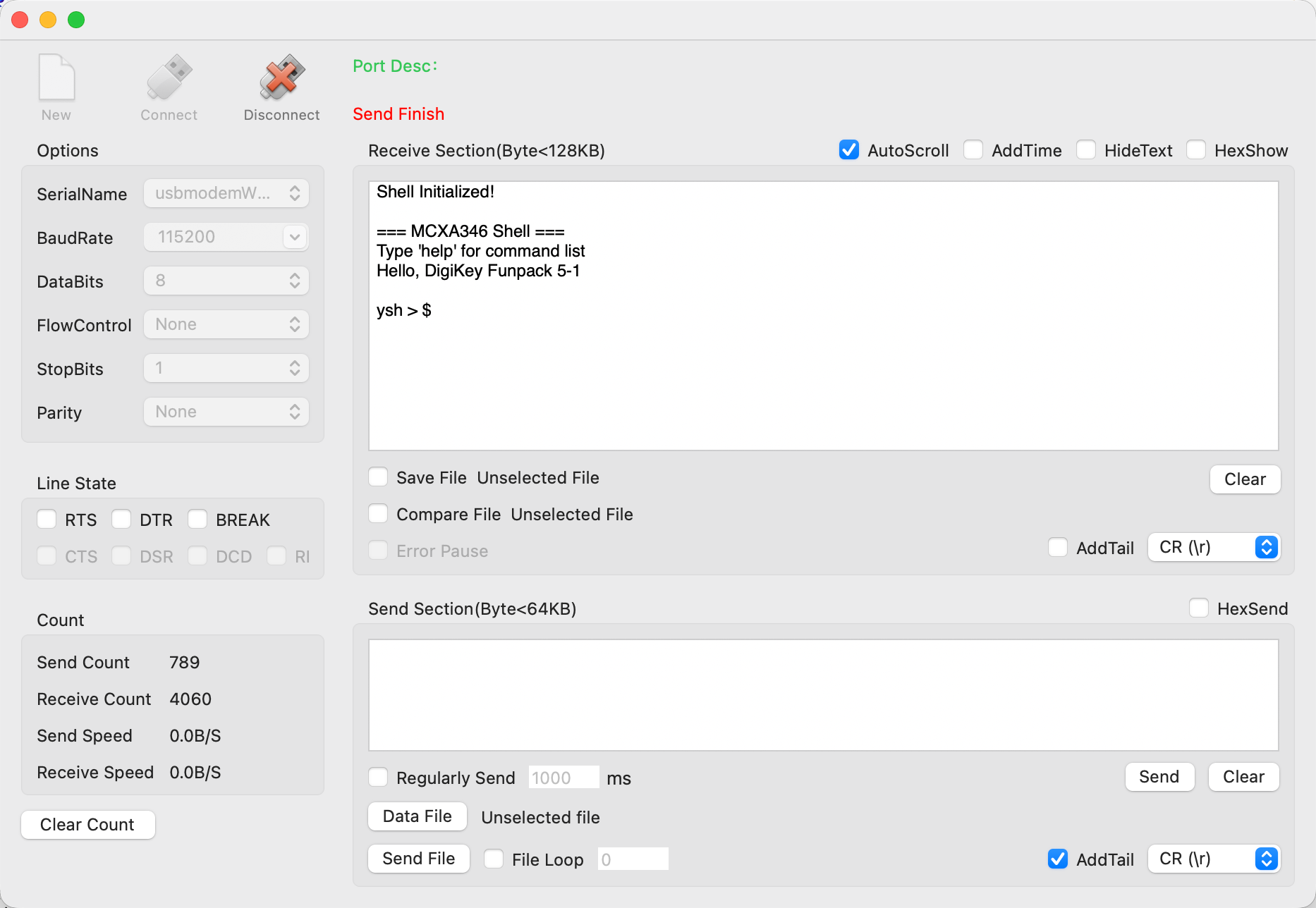
初始化显示、展示“Hello, DigiKey Funpack 5-1”
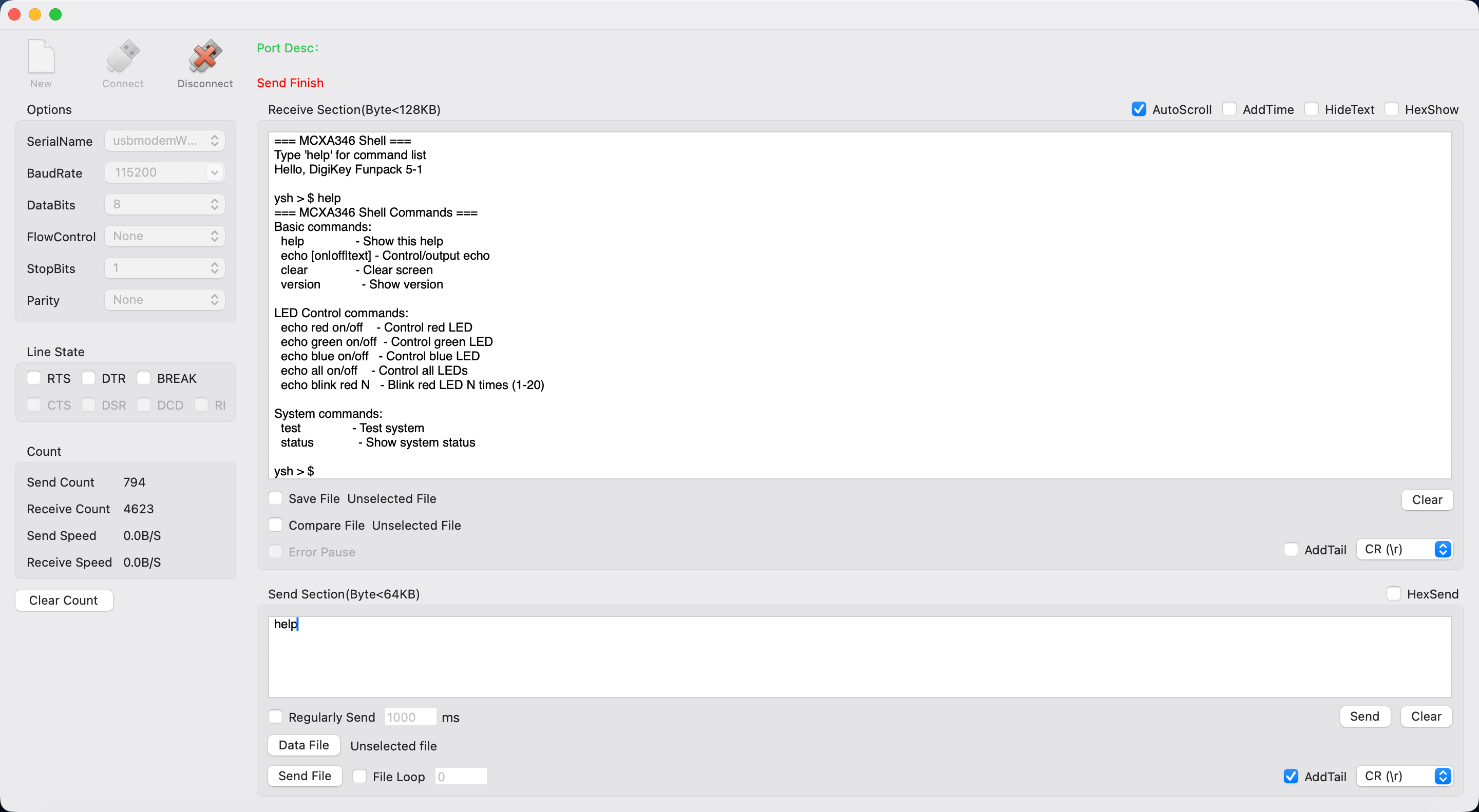
Help 命令显示所有支持的命令行。
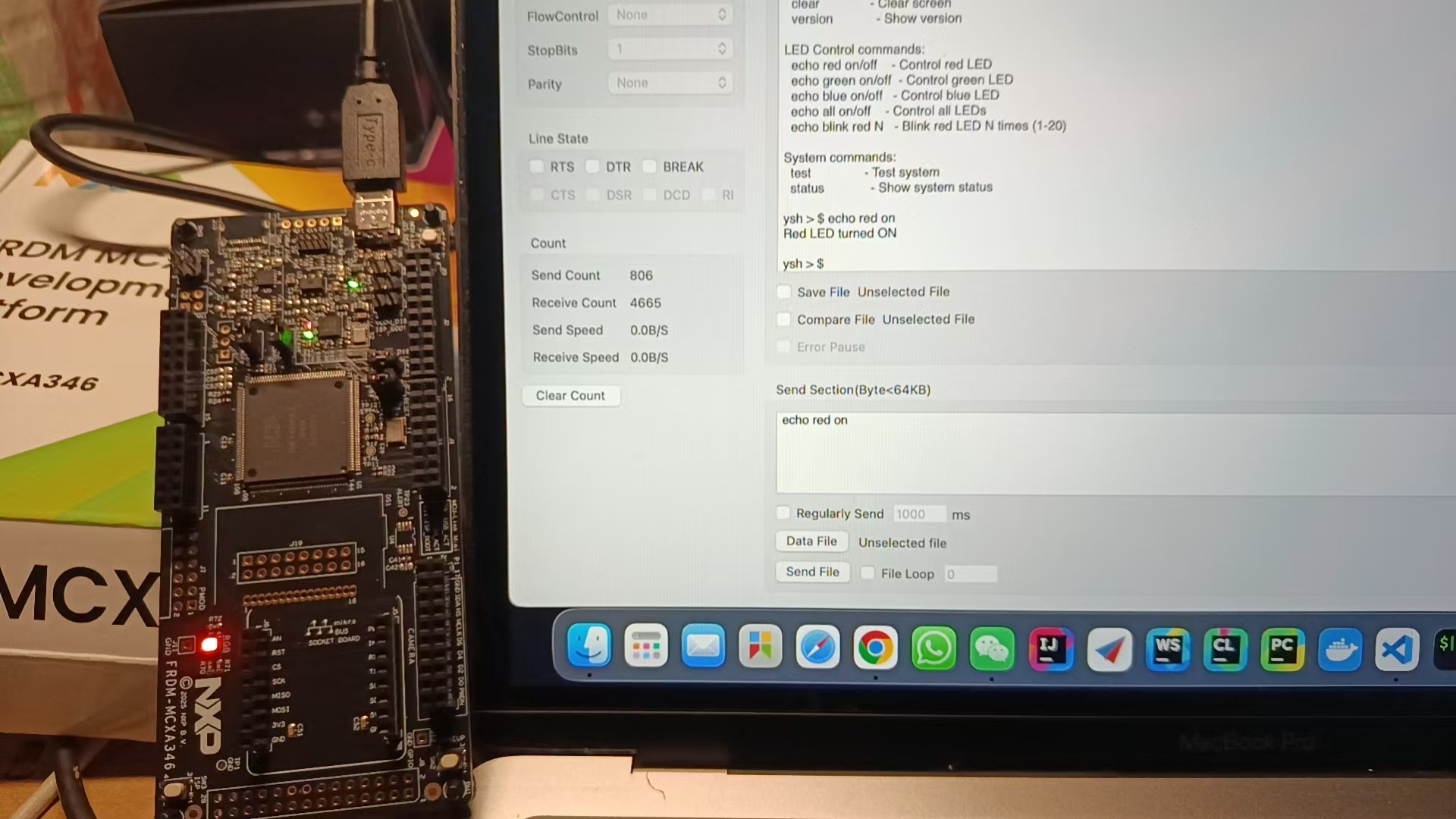
红色灯光点亮。
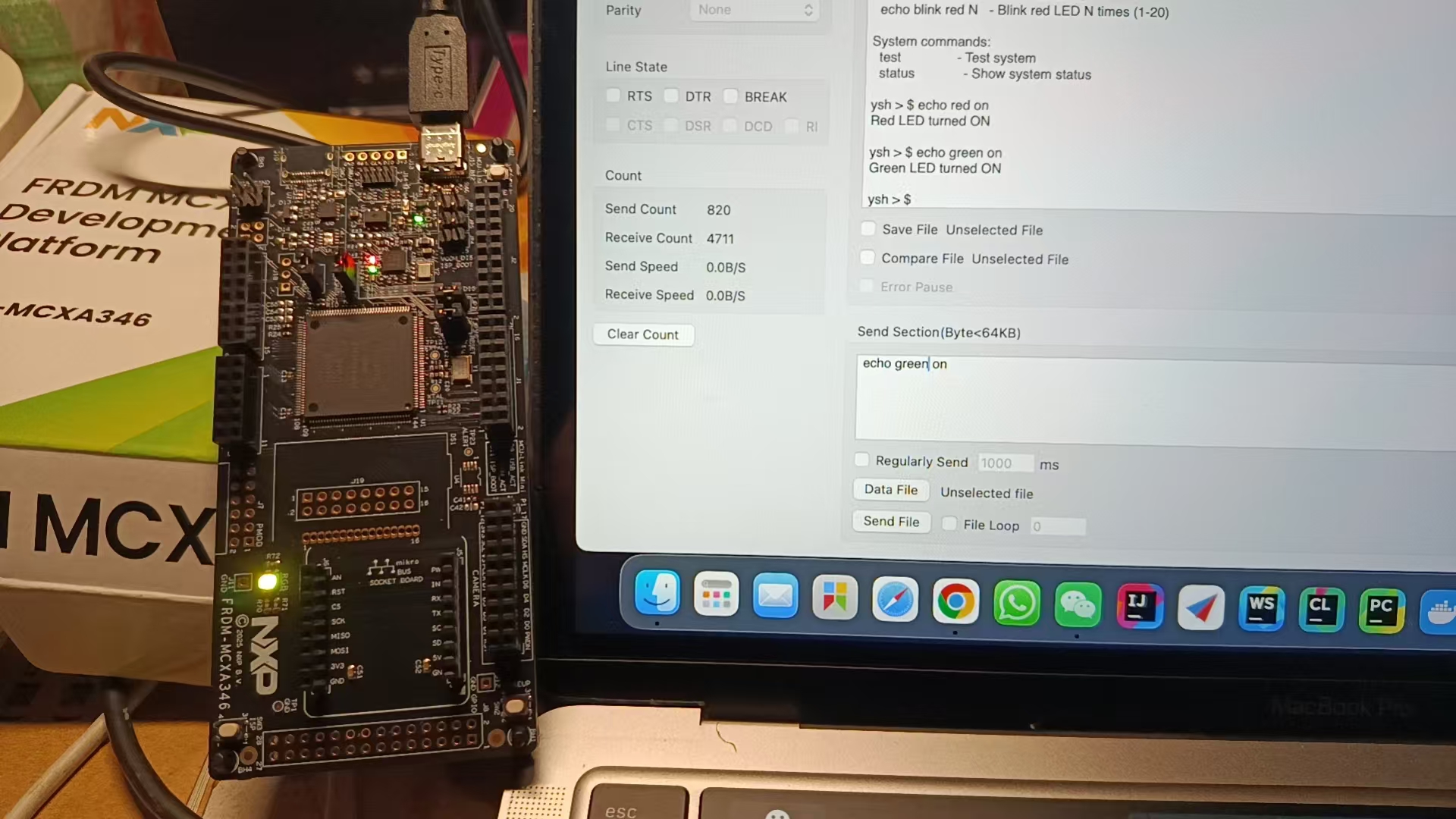
红绿色点亮。
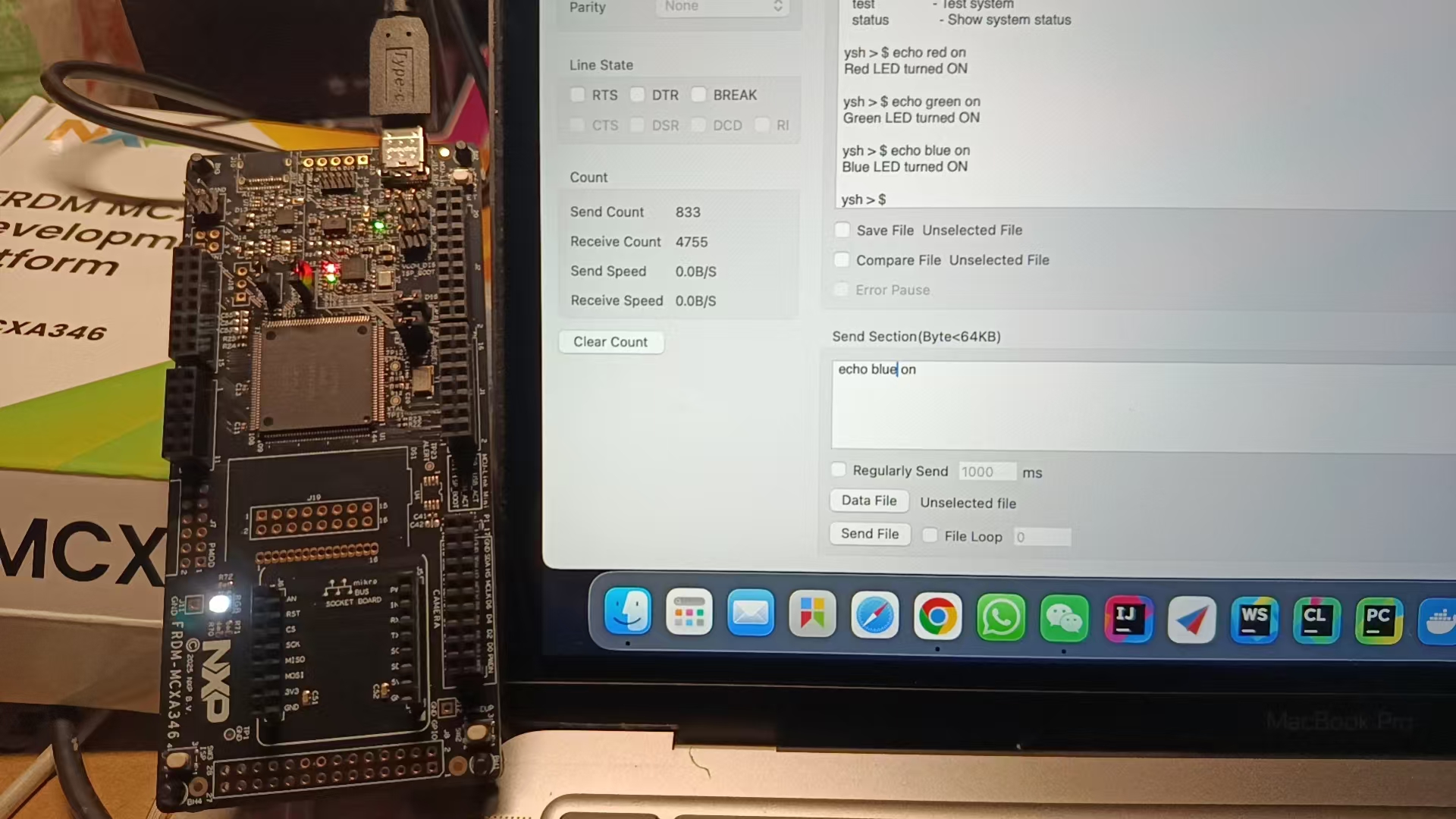
红绿蓝三色点亮
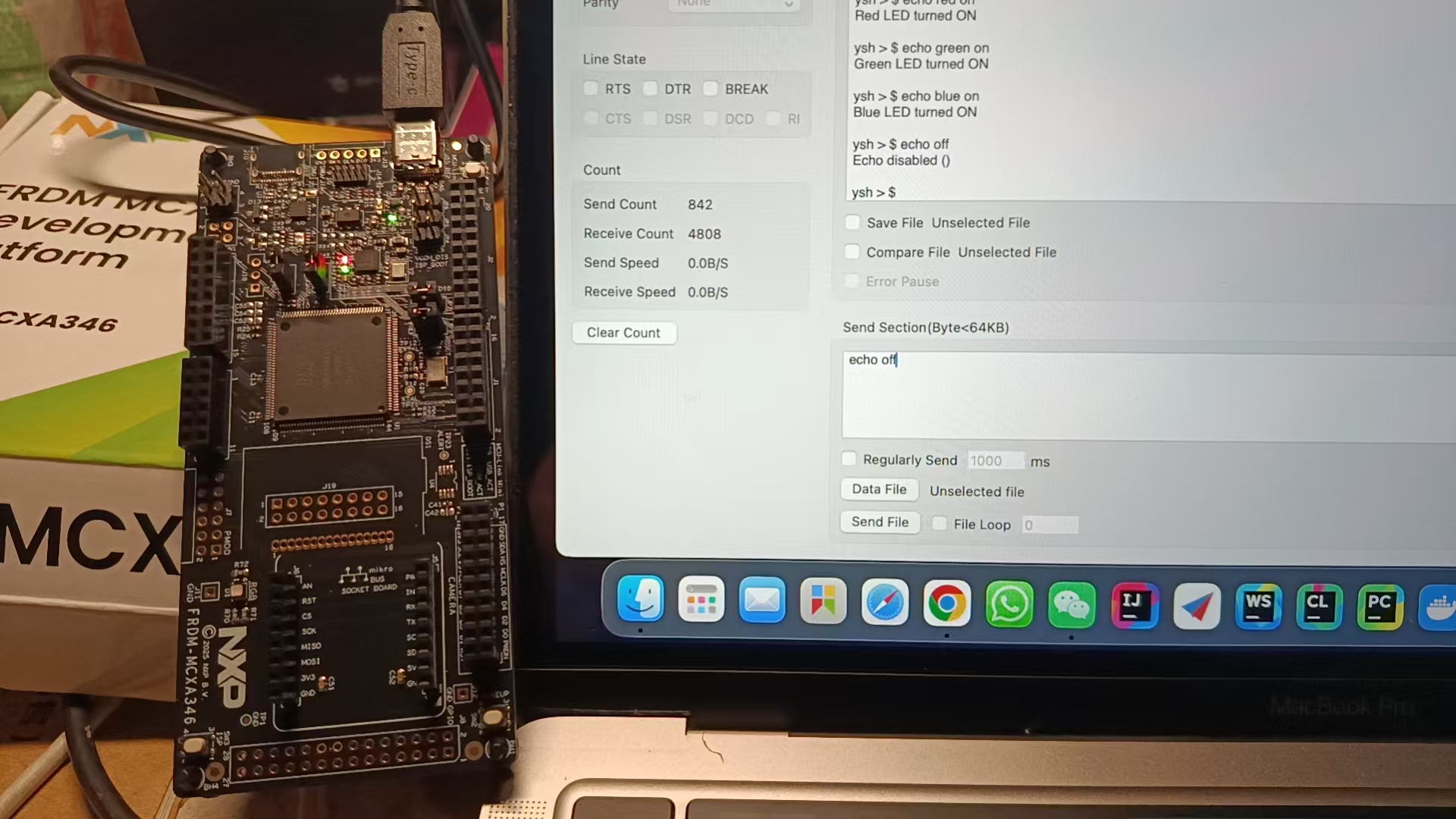
关闭所有
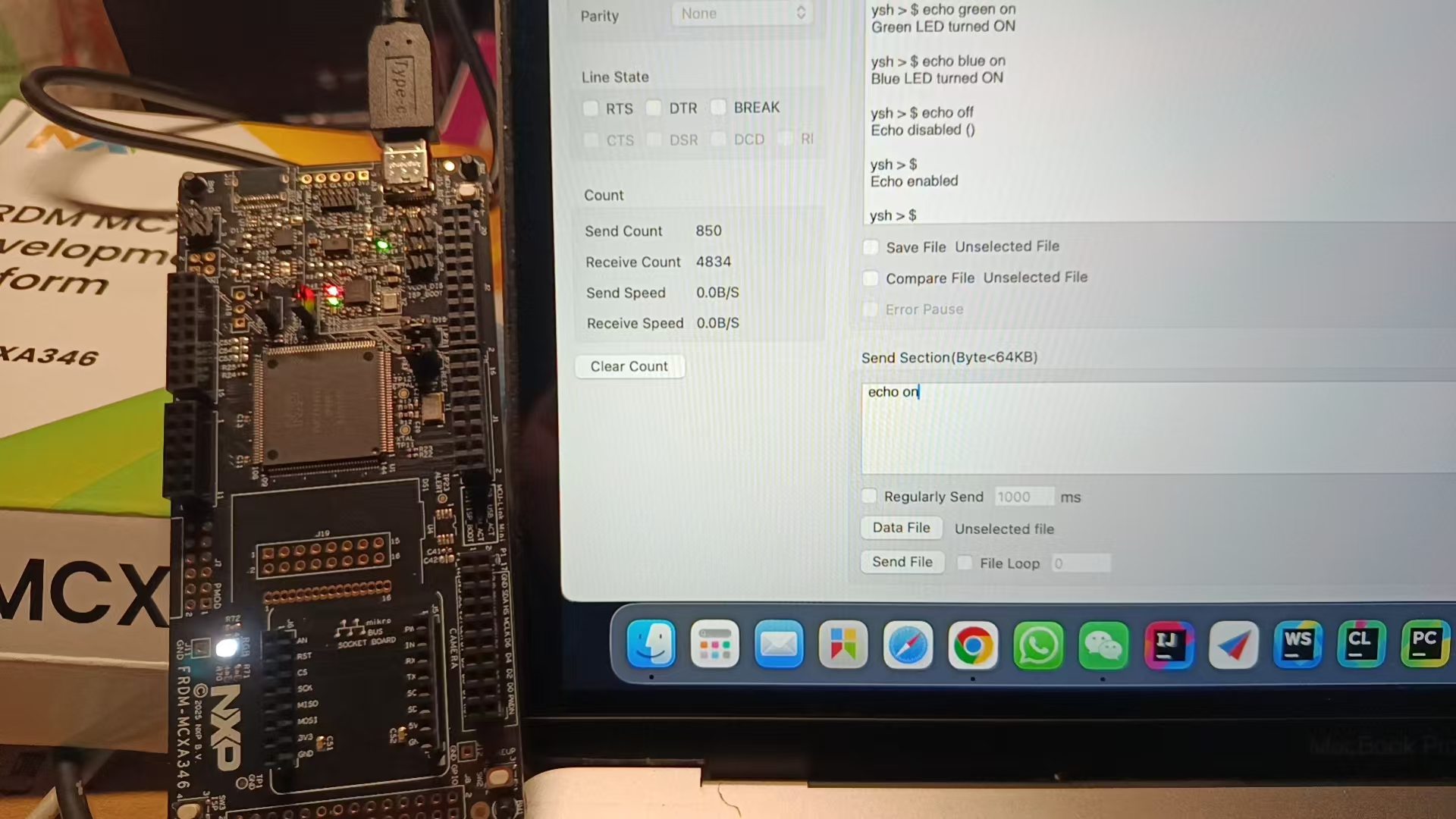
一键打开所有
项目中遇到的难题及解决方法
在项目实际开发中实际上并没有遇见什么难题,其中最麻烦的就是IDE的安装了。算了算就IDE的安装都耗费了好几个小时。尽管使用了神秘的工具的辅助,但是还是经常失败无法再现安装。这里还是建议使用离线IDE的方式。
心得体会
项目要求的第一点串口打印字符实际上只花费了很少的时间都已经搞定了,其中使用的是官方提供的UART demo进行修改的,原本的demo是回环:字符接受再发送。 对于LED的闪烁和关闭,NXP也已经提供了board.h的文件,所以对于LED的控制也是一个很简单的事情。随着现在生成式AI的发展,我们程序员写代码变得越来越轻松,AI基本上可以解决日常中的所有的Coding的问题。剩下的解决不好的问题就是我们没有把问题给描述清楚,如果能描述清楚的话,AI可以非常迅速的来帮我们解决问题。当前的任务二则是使用DeepSeek在两次修改下就完成的功能。 我们要拥抱AI,期待AGI

 无言的朝圣
无言的朝圣 空耳-
空耳- 仗剑天涯
仗剑天涯